


A well-prepared desk on day one is one of the lowest-cost, highest-impact things an organisation can do to make a new hire feel valued from the moment they walk in. To set up a new starter desk for day one, you need five things in place before they arrive: a fully stocked desk with stationery and personal supplies; a working technology setup including computer, monitor, keyboard, mouse, and all necessary cables and peripherals; a clean, dedicated space that is clearly theirs; any access credentials and printed quick-reference guides they need to get started without asking for help; and a small welcome touch that signals the organisation was expecting them and prepared for their arrival.
AHRI’s Quarterly Australian Work Outlook for September 2025 found that 69% of Australian organisations are actively recruiting, with the Net Employment Intentions Index jumping to +48. Half of all organisations plan to grow their workforce. At the same time, average annual employee turnover across Australian organisations sat at 16% to December 2024, with a third of organisations reporting turnover of 20% or above. Each departure costs at least 50% of the departing employee’s annual salary, according to industry estimates cited by AHRI.
Brandon Hall Group research, widely cited across HR literature, found that organisations with a strong onboarding process improve new hire retention by 82% and productivity by over 70%. The first day of employment is the most critical moment in that process. A new starter who arrives to find a prepared desk, working technology, and a clear sense that the organisation was expecting and ready for them begins their employment with a fundamentally different impression than one who arrives to find a bare desk, a computer that is not set up, and nobody sure whose responsibility their induction is.
This article covers exactly what needs to be on a new starter’s desk before they arrive, why each element matters, and how to make the setup process repeatable across every new hire.
Why Day One Desk Setup Is a Retention and Productivity Decision
Most organisations treat the physical desk setup for a new starter as a facilities task: order a laptop, find a desk, move on. The research suggests it is something different. The first day is when a new employee forms their initial impression of the organisation’s operational competence, its care for people, and whether the decision to join was the right one. That impression is formed before the first team meeting, before the first conversation with a manager, and before any work has been done.
A desk that is clean, fully stocked, and set up correctly communicates that the organisation knew this person was coming and invested time in being ready for them. A desk that requires the new starter to ask for a pen, wait for IT to set up a computer, or find their own notepad from the stationery cupboard communicates the opposite. In an environment where AHRI data shows 42% of employee turnover is considered preventable, the first day is not the place to make avoidable operational errors.
What Every New Starter Desk Needs on Day One
1. A Fully Stocked Stationery Kit
Every new starter’s desk should have a complete stationery kit ready before they arrive. Not a pen borrowed from the kitchen and a notepad from the storeroom, but a properly stocked kit that signals this desk is set up for work from the first moment.
A complete day one stationery kit includes:
- Two or three quality ballpoint or rollerball pens in the new starter’s view, the quality of the pen reflects the quality of the organisation
- A highlighter in at least one colour
- A notepad of at least A5 size with enough pages for the first week of notes
- A pack of sticky notes essential for the first week of orientation when everything needs to be remembered
- A stapler with staples
- A small scissors
- Correction tape or fluid
- A ruler particularly useful for roles that work with documents or reference materials
For roles that involve significant document handling, add a set of binder clips or bulldog clips and a box of paper clips. For roles with a strong digital focus, the stationery kit can be lighter, but a notepad and quality pens remain essential: most people take hand-written notes in meetings regardless of their primary working tools.
COS new starter stationery kit: COS supplies stationery kits for new starters and onboarding programs, with the ability to order in bulk for multiple new starters across any period. Your COS account manager can help configure a standard new starter kit that can be pre-assembled and ready on every hire’s desk from day one.
2. A Working Technology Setup
Technology readiness on day one is the single most common failure point in new starter desk setup, and the one with the most immediate impact on productivity and first impressions. A new starter who cannot log in to their computer, access their email, or connect to the network on their first morning has no way to start working, regardless of how prepared they are personally.
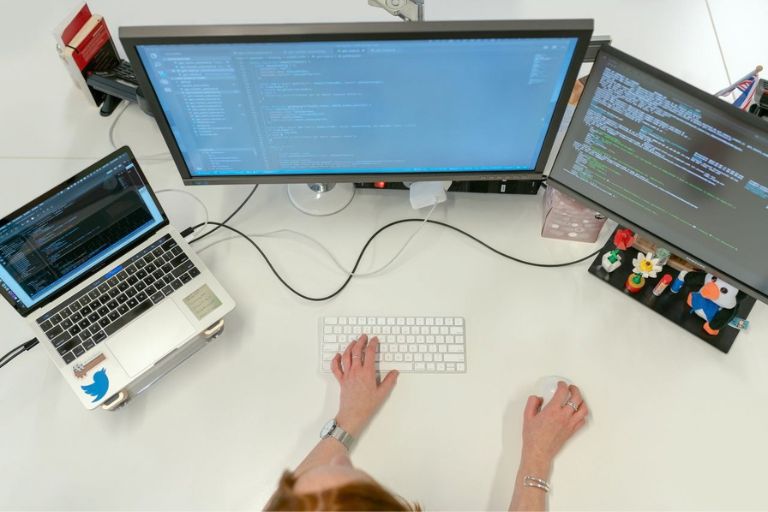
The technology setup for a new starter desk should be completed by IT at least one business day before the start date, not on the morning of. It should include:
- A fully configured computer or laptop with the operating system set up, software installed, and login credentials ready
- A monitor at the correct height or a monitor riser so the screen is at eye level from the seated position
- A keyboard and mouse that are clean, fully functional, and appropriate for the role
- All necessary cables HDMI, USB-C, power, and any other connection required for the specific workstation setup
- A docking station if applicable for laptop-based roles where a fixed dock is the standard workstation configuration
- Headphones or a headset for roles that involve regular calls, video meetings, or audio work
Any access credentials, including passwords, VPN access, email configuration, and logins for role-specific software, should be printed on a single reference card placed on the desk, not emailed to an account the new starter cannot yet access.
IT setup checklist tip: Create a standard IT setup checklist that travels with every new starter request from the moment the hiring decision is made. The checklist triggers equipment ordering, software provisioning, and access credentials in parallel with the HR onboarding process, so everything is ready on day one regardless of when the hire was confirmed.
3. A Clean, Dedicated Space That Is Clearly Theirs
For offices with unassigned seating, where desk allocation changes day to day, the new starter’s first day should be an exception. Reserve a specific desk for the new starter’s first week, and make sure it is clean, clear of other people’s items, and identifiable as theirs before they arrive. A new starter who arrives to find an assigned desk occupied, or who has to search for a free space in an activity-based environment they do not yet understand, has a difficult start through no fault of their own.
For offices with assigned desks, ensure the new starter’s desk is clean and cleared of any residual items from the previous occupant. A desk with someone else’s personal effects, outdated materials, or uncleaned surfaces is not a welcoming first impression. A quick wipe-down of the desk surface, a clean keyboard, and an empty in-tray set up ready for use takes five minutes and makes a material difference.
4. Printed Quick-Reference Guides and Access Information
A new starter on their first day needs a lot of information quickly. Where is the bathroom? How does the phone system work? What is the Wi-Fi password? Who do they contact if they have a problem with their computer? What time is the team lunch?
Providing this information in a printed quick-reference guide on the desk removes the need for the new starter to ask for every detail, which can feel embarrassing, and removes the need for the manager or team to be interrupted with routine questions all morning. A one-page guide covering building access, key contacts, IT support, meeting room booking, parking and transport, and daily routines is sufficient for most organisations.
Access credentials should never be sent only by email to an account the new starter cannot yet access. Print them on a separate card and place them on the desk. Include: computer login details and instructions for the first-login password change; email access instructions; VPN or remote access details if applicable; and logins for any role-specific platforms or tools set up in advance.
5. A Welcome Touch That Signals You Were Expecting Them
The fifth element of a well-prepared new starter desk is the most personal and the hardest to standardise, but it has a disproportionate impact on first impressions. A small welcome gesture on the desk, a handwritten card from the team, a branded notebook with the organisation’s name on it, a small gift of quality stationery, or a welcome pack with the team’s favourite local coffee shop gift card, signals that the new starter’s arrival was anticipated and valued.
This does not require significant budget. The signal is not in the value of the item but in the evidence of thought. A handwritten card signed by the team costs nothing and takes ten minutes. A branded notebook from the organisation’s stationery range costs a few dollars and provides daily utility for months. A small tote or welcome bag containing a notepad, a quality pen, and a reusable cup creates a moment of genuine surprise that a new starter will typically mention to people outside the organisation.
COS welcome packs: COS supplies branded and unbranded welcome stationery, notebooks, totes, and onboarding gift items for new starter programs. Your COS account manager can help configure a standard welcome pack that can be ordered in bulk and ready for every new hire.
New Starter Desk Setup Checklist
Use this checklist for every new hire. Complete all items at least one business day before the start date.
Stationery kit ready
2-3 quality pens, highlighter, A5 or A4 notepad, sticky notes; stapler with staples, scissors, correction tape, ruler. Add binder clips and paper clips for document-heavy roles.
IT setup complete
Computer or laptop fully configured with login credentials; monitor at eye level or monitor riser in place; keyboard and mouse clean and functional; all cables in place; docking station if applicable; headset or headphones for call-based roles. Completed at least one business day before start.
Desk clean and reserved
Desk surface cleaned, cleared of previous occupant’s items, reserved for the new starter for at least their first week, in-tray or document organiser set up and empty.
Printed and on desk
One-page quick-reference guide covering building access, key contacts, IT support, meeting room booking, and daily routines; access credentials card with computer login, email setup, and any platform logins.
Personal touch ready
Handwritten welcome card from team or manager; optional welcome pack (branded notebook, quality pen, reusable cup, or gift card). Items on desk before new starter arrives.
Frequently Asked Questions
How do you set up a new starter desk for day one?
A new starter’s desk needs five things in place before they arrive: a fully stocked stationery kit; a working technology setup including computer, monitor, keyboard, mouse, and all necessary cables; a clean, dedicated space that is clearly theirs; printed quick-reference guides and access credentials; and a welcome gesture that signals the organisation was expecting and prepared for them. All of this should be completed at least one business day before the start date.
What stationery should be on a new starter's desk?
Every new starter’s desk should have at minimum: two or three quality pens, a highlighter, a notepad of at least A5 size, a pack of sticky notes, a stapler with staples, scissors, and correction tape. For document-heavy roles, add binder clips and paper clips. For any role, a quality notepad and pen are essential regardless of how digital the work is. COS supplies new starter stationery kits in bulk for organisations that hire regularly.
Why does day one desk setup matter for retention?
The first day is when a new starter forms their initial impression of the organisation’s competence and care for its people. Brandon Hall Group research found that organisations with a strong onboarding process improve new hire retention by 82% and productivity by over 70%. AHRI data shows Australian average annual turnover is 16%, with each departure costing at least 50% of annual salary. A well-prepared desk on day one is one of the lowest-cost, highest-impact actions an organisation can take to protect that investment.
How far in advance should a new starter desk be set up?
All desk setup should be complete at least one business day before the new starter’s first day. IT setup in particular should not be left until the morning of: a computer that is not ready when a new starter arrives creates an immediate and avoidable productivity loss and sends a poor signal about the organisation’s operational preparation. Stationery, welcome items, and printed reference materials can be placed on the desk the afternoon before the start date.
What makes a good welcome pack for a new starter?
The most effective welcome packs are practical rather than decorative. A quality branded notebook, two or three pens, and a reusable cup provide daily utility for months and carry the organisation’s brand into the new starter’s daily routine. A handwritten card from the team or manager has a disproportionate impact relative to its cost. A small gift card for a local cafe or the building’s coffee vendor is a practical gesture that acknowledges the new starter will need to find their feet in the physical environment of a new workplace.
Can COS supply new starter desk setups in bulk?
Yes. COS supplies stationery kits, welcome packs, notebooks, pens, and onboarding accessories in bulk for organisations that onboard regularly. Your COS account manager can configure a standard new starter desk kit that can be ordered in advance and pre-assembled, so every new hire receives a consistent, well-prepared setup regardless of when they start. COS is one of three suppliers on the Australian Government’s Whole of Government Stationery and Office Supplies Panel (Department of Finance, December 2024).
COS supplies stationery kits, welcome packs, technology accessories, and onboarding essentials in bulk for Australian businesses. One business account, consistent supply, delivered before day one.