


Calmer teams start with manageable workloads, clear priorities and a shared understanding of what needs to be done next. Managers can support their teams through scalable planning, realistic priority triage and regular conversations about capacity. A diary, planner or desk calendar helps put that planning into practice.
When requests arrive through emails, meetings and quick conversations, it is easy for the working week to become a list of competing deadlines. Optimal planning is not about squeezing more tasks into every hour, but rather deciding what matters, allowing enough time to deliver, and making trade-offs or delegating tasks before pressure builds.
Why workload planning belongs on the agenda
Safe Work Australia’s 2024 psychological health report announcement states that mental health conditions accounted for 9% of serious workers’ compensation claims in preliminary 2021/22 data. The number of these claims had increased by 36.9% since 2017/18.
An Australian study published in BMJ Open in 2021 followed 1,084 full-time employees over 12 months. Low psychosocial safety climate, meaning a workplace climate that gives insufficient priority to psychological health, was associated with a threefold increase in risk of new major depression symptoms, reinforcing the importance of organisational conditions rather than placing responsibility solely on individuals.
Safe Work Australia’s job demands guidance identifies severe, prolonged or frequent high demands as a psychosocial hazard. For managers, a practical starting point to mitigate these hazards is to examine the work itself: its volume, complexity, deadlines, available resources and the control people have over how it is completed.
Protect a weekly planning block
Set aside a recurring planning appointment before the week fills up. A 30-minute block on a Monday morning is a practical starting point to compare upcoming commitments with the time and resources available.
- Gather commitments. Bring deadlines, recurring tasks, meetings and unfinished work into one view.
- Check capacity. Account for leave, training, routine service demands and review time.
- Choose achievable outcomes. Agree which results matter most and define what completion looks like.
- Reserve working time. Allow for preparation, focused work, handovers and unexpected requests.
- Confirm trade-offs. Decide what will move, shrink or stop if capacity is already committed.
Finish by asking whether the plan fits within agreed working hours. If it only works when people skip breaks or regularly stay late, the problem is capacity, not commitment. Escalate resource gaps rather than transferring them into longer task lists.
Triage priorities before everything becomes urgent
Give incoming work a consistent decision process. Ask what happens if it waits, whether the deadline is fixed and which existing commitment it would displace. A simple three-part triage can help:
- Do now: Work with a genuine immediate consequence, including safety-critical issues or fixed external deadlines.
- Schedule: Important work that needs protected time but does not require immediate interruption.
- Defer, simplify or stop: Work that can wait, be reduced in scope or be removed without undermining essential outcomes.
For example, an unexpected customer request might require moving an internal update or negotiating a smaller first delivery. State that decision clearly. “Please add this” is not a complete workload instruction when the week is already full. Managers should own the prioritisation conversation rather than leaving individuals to reconcile conflicting promises.
Make work visible without creating more administration
Keep one agreed team view of active work. Record the deliverable, owner, due date, next step and any dependency or blocker. A shared digital board can support hybrid teams, while a physical planner can provide a useful overview for colleagues working together onsite. Avoid requiring the same detail in multiple places.
Use a short midweek check-in to ask what has changed, what is blocked and what needs a decision. Focus on resource constraints and handovers, not rankings of individual output. Keep sensitive customer information and personal details out of public displays. Shared visibility should make support easier to organise, not turn planning into surveillance.
Choose planning tools that match the work
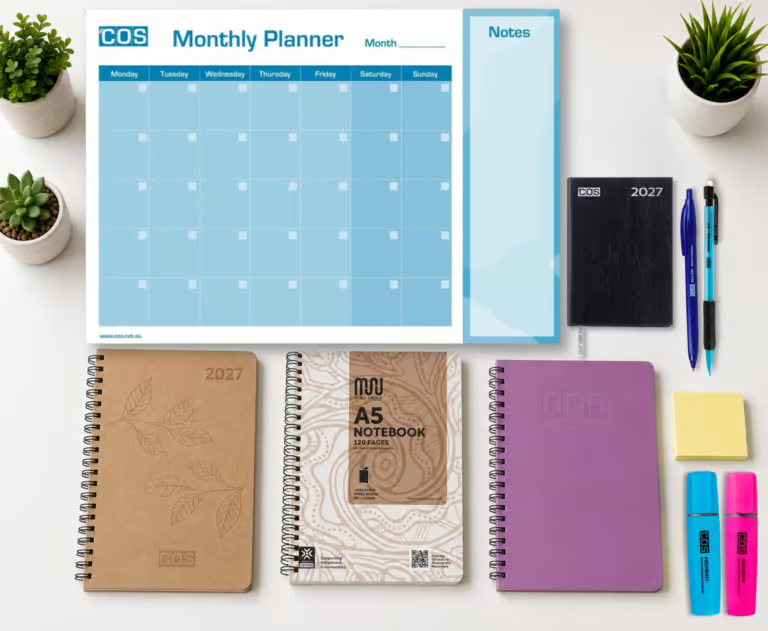
A diary supports individual commitments; a shared workload view coordinates the team. They serve different purposes. Select a format that people will use consistently rather than assuming the most detailed option is best. Diaries and planners vary greatly from daily, weekly and monthly layouts to personal planners and desk or wall planners.
- Diary: Useful for appointments, deadlines and a portable record of commitments.
- Planner diary: Look for enough space to connect appointments with priorities, notes and follow-up actions.
- A4 daily planner: Suits people who need a larger writing area to break complex work into steps and reserve time for each.
- Desk calendar: Provides an accessible date reference or overview, depending on its layout. It should not become a second, conflicting source of deadlines.
Before ordering, check the dated year, page layout, weekend space, binding and desktop footprint. If purchasing calendar and organiser refills, confirm that the dimensions and punching match the existing stand. Give users a choice within an approved shortlist to balance consistency with practical needs.
Support comfort and focus, without confusing them with capacity
Once workload decisions are addressed, consider whether the workspace supports the tasks being planned. Comfort matters, but a better workstation cannot create extra hours or remove an unreasonable deadline.
WorkSafe Queensland’s computer workstation checklist recommends that feet rest flat on the floor or on a footrest. An under-desk footrest may be appropriate when chair adjustment leaves the feet unsupported. Assess it as part of the whole workstation, including chair height, desk height and leg clearance. When considering adjustable footrests, check stability, adjustment range and ease of cleaning before purchasing.
Desk partitions and screens can help define individual work areas and provide visual separation. If noise is the concern, request acoustic performance information rather than assuming any screen will reduce distracting speech. Check dimensions, mounting compatibility, stability, light and access before installation. Pair purchasing decisions with agreed quiet-work periods and suitable spaces for calls or collaboration.
Safe Work Australia’s workstation setup guidance also recommends regular breaks and frequent changes of position. Build opportunities for movement into the working day rather than treating equipment as a substitute for varied activity.
What should procurement prioritise for a calmer workplace?
Start with the task and user need, then write a clear specification. For planning supplies, compare layouts, durability, refill compatibility and quantities. For footrests and partitions, include adjustment requirements, installation needs, warranties and workstation compatibility. Compare total delivered cost, including accessories and setup, rather than unit price alone.
Trial a small selection with users before a wider rollout. Ask whether the products fit the available space and support the intended task. Confirm current stock, lead times and account pricing with the supplier. Where sustainability requirements apply, request product-specific evidence for paper sourcing, recycled content and end-of-life options rather than relying on broad environmental descriptions.