

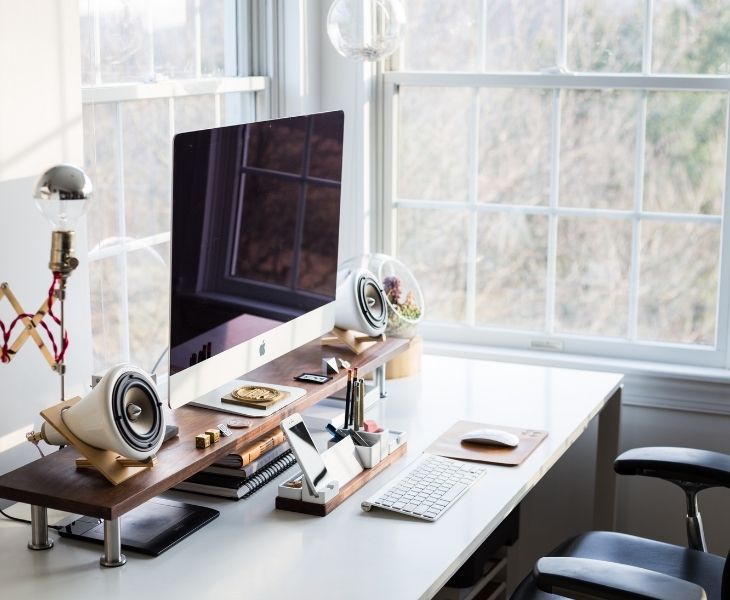
Looking back, many Australians were forced to work from home because of the COVID-19 pandemic. Remember how you were trying to balance your laptop on your kitchen table to work remotely? That temporary work from home setup back then has become permanent. So, with this, Australians (and even anyone working remotely) want a comfortable yet smart and ergonomic workspace to be more productive and effective. The question now is: what are the ideal home office essentials you should have, and how can you turn a small station into a conducive work area?
Here are home office accessories to consider and some helpful tips for a space you’ll enjoy working in.
Start with the Basics
An hour of sitting with a poor posture can already give you an aching back, neck and even wrists. So, you’ll need adjustable office chairs that feature excellent lumbar support and sit-stand desks that are also highly flexible to give you the best comfort. If you want to add more colour and fun elements to your station, you can even attach functional desk accessories that reflect your personality.
With great comfort, maintaining high-performing remote work productivity becomes a breeze.
Set Up Your Equipment
In setting up your workstation, you always have the option to use a laptop or a desktop as your main equipment. Ideally, laptops are best for remote workers who are frequent travellers and are in a hybrid setup. Desktops, on the other hand, are great for those who like to stay at home for work and want larger monitors and more powerful performance. Regardless, your equipment should be able to fully support your work.
Also, one key benefit of working remotely is that you can always customise your computer accessories, such as your keyboards and mice.
Manage Clutter

Managing clutter is a challenging task for many remote workers. The common scenario is that coffee mugs, charger wires, notebooks, and documents are everywhere at the workstation. This can quickly invite distractions.
A simple organisation system is what you need:
-
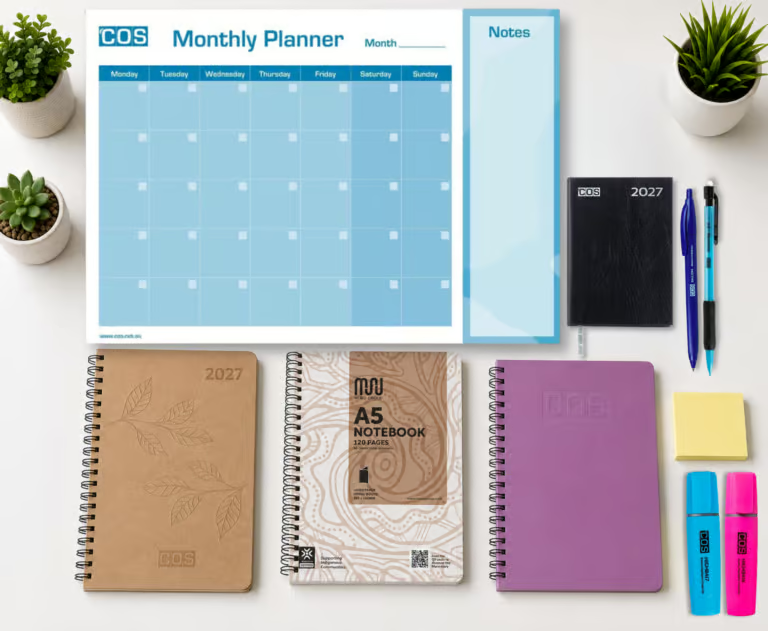
- a storage solution for your notebooks and planners
-
- a charger and cable storage bag for your wired accessories
-
- storage shelves or drawers for your other things
You don’t need a perfect work from home setup, just an ideal space to make you feel comfortable and free you of disruptions.
Have Proper Lighting
As much as you want to sit comfortably working from home, you also need to protect your eyes from long periods of screen time. Poor lighting can lead to eye fatigue and strain and headaches.
If you work in the morning, position your work area near the window as natural lighting is best. If you work at night, having an adjustable desk lamp is recommended.
With good lighting, your work hours feel less tiring and more energising.
Create a Workspace with Fewer Distractions
Household chores from other family members, doorbell rings and even deliveries are common distractions when working remotely. You may not be able to eliminate these, but you can set up your work area to minimise them.
Consider having:
-
- a quieter space
-
- a daily routine that minimises distractions, such as reducing the use of your phone during work hours
Sometimes, keeping an area with a few distractions is the best way to be more efficient.
Consider Setting Up Smart Technologies
If you have the budget, consider upgrading your workspace. Smart home technologies can help make tasks easier for you and your space more motivating to work in. In choosing the smart tools, however, keep in mind that you’re doing this not to add complexity to your system but to solve real problems.
Smart home office upgrades you can try are:
-
- Wireless charging stations to reduce clutter
-
- Smart speakers to help with calendar management and reminders
-
- Smart lighting that has scheduled routines
-
- Docking stations for charging multiple devices in one place
Building a Productive Workspace
Setting up a workstation at home to promote excellent remote work productivity doesn’t need a full renovation. In many cases, the most productive spaces are created with the basics and a simple principle: an environment that’s organised, comfortable and enjoyable.
Investing in well-designed furniture, adding smart technologies, minimising clutter and setting up the right equipment are key to working smarter, feeling more comfortable and staying focused remotely.