


Distance learning and hybrid study have become a regular part of school life for many Australian students, whether through occasional remote learning days, dedicated online programs, or simply hours of homework completed on a laptop each evening. Yet most home study spaces are put together with whatever furniture and devices happen to be on hand, rather than designed with the same care given to a classroom or office desk. The result is an online learning setup that leads to poor posture and eye strain, and a workspace that makes it harder, not easier, to concentrate. A few deliberate changes can fix most of this without a full renovation.
What Makes an Online Learning Setup Effective?
An effective online learning setup combines correct device positioning, ergonomic seating, reliable connectivity, a system for taking notes, and a physical environment that minimises distractions. Students who study remotely or complete significant schoolwork on a laptop are effectively doing office-length screen work at a much younger age, often without the ergonomic knowledge adults use in professional workplaces.
Here is how to build a setup that actually works.
Device Positioning and Screen Height
The single most common mistake in a home study setup is a laptop sitting flat on a desk, forcing the user to look down for hours at a time. Research shows a strong link between improper screen positioning and neck, shoulder and back strain in students who completed the shift to increased screen-based learning, with low awareness of ergonomic practices identified as a contributing factor.
The fix is straightforward. A monitor riser or laptop stand raises the screen so the top third sits at or just below eye level, which keeps the neck in a neutral position rather than tilted forward. For students using a laptop as their primary device, pairing a stand with a separate keyboard and mouse means the screen can be raised to the correct height without forcing an awkward typing position, since the keyboard is no longer attached to the elevated laptop.
Where budget and space allow, an external monitor paired with a laptop gives students a larger, properly positioned screen for reading and note-taking, while the laptop itself can sit lower or closed entirely when docked.
Ergonomics Beyond the Screen
Screen height is only one part of the picture. Chair height, desk height, and hand position all interact to determine whether a study session leaves a student comfortable or sore. Aligning the screen at the correct height helps maintain a neutral neck position, reducing strain on the neck, shoulders and back, while ergonomic keyboards and mice with split or curved designs support a more natural wrist position and reduce the risk of repetitive strain.
Computer vision syndrome is a condition that involves eye strain, headaches and blurred vision from prolonged screen use. One review found digital eye strain affects around 69% of people who use screens regularly, with symptoms intensifying during periods of increased online learning.
Simple, low-cost fixes make a real difference. Position the chair so feet sit flat on the floor or on a footrest, keep the keyboard at elbow height so wrists stay straight rather than bent upward, and take a genuine break from the screen every 20 to 30 minutes to reduce eye strain.
Connectivity That Doesn’t Interrupt Learning
Nothing disrupts an online lesson faster than a dropped connection mid-explanation. For students attending live classes or submitting work with strict deadlines, a stable connection is not optional infrastructure. It is core to whether the lesson can be followed at all.
Where possible, connect the study device directly via ethernet cable rather than relying solely on Wi-Fi, particularly for video-heavy classes or file uploads. If a wired connection isn’t practical, position the study space as close to the router as possible. For families managing multiple children studying simultaneously, a dock or hub that centralises connections for laptops, headsets and monitors reduces cable clutter and makes daily setup faster and more reliable.
A good headset also solves half of what looks like a connectivity problem. Built-in laptop microphones pick up background noise and often distort in group video calls. A dedicated headset with an inline microphone gives clearer audio and reduces the number of times a lesson gets interrupted by “can you repeat that?”
Note-Taking That Actually Supports Learning
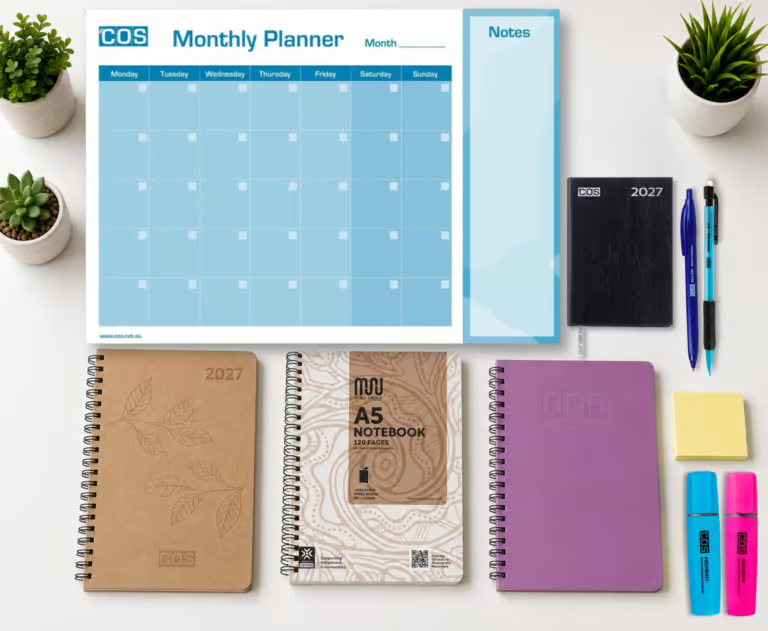
Typing notes directly into a document during a video lesson is efficient, but it is not always the most effective way to retain information. Many students benefit from a hybrid approach: typed notes for structured content like slides and instructions, paired with a physical notebook or exercise book for working through problems, sketching diagrams, or jotting down quick thoughts during discussion.
Handwriting also serves a practical function specific to online learning as it keeps at least one activity away from the screen during a long study block, giving the eyes a genuine break even while the lesson continues. For subjects involving calculations or diagrams, a dedicated grid or graph book makes this far easier than trying to draw accurately on a screen.
Whatever the format, consistency matters more than the method. A dedicated notebook per subject, kept in the same place every day, removes the friction of hunting for notes when it’s time to revise.
Reducing Distractions in a Home Study Space
A cluttered, visually busy desk increases stress and reduces cognitive performance, an effect that applies just as much to a student’s study corner as to an adult’s office desk. Every visible item competes for attention, and a full desk makes it harder for the brain to settle into focused work.
Practical steps that reduce distraction without requiring a dedicated study room: clear everything from the desk except what’s needed for the current subject. Use a wall-mounted organiser or pinboard to keep reference materials visible without cluttering the desk surface and establish a visual cue to help students mentally switch into focus mode. Noise-cancelling or over-ear headsets are particularly useful in shared home spaces, blocking out household noise during live lessons or independent study blocks.
The Setup Grows with the Student
An online learning setup rarely gets built all at once, and it doesn’t need to. Start with whichever change will make the next lesson noticeably better, whether that’s finally propping the laptop up on something sturdier or plugging in a proper set of headphones, and treat the rest as ongoing adjustments rather than a checklist to finish in a weekend.
What matters most is that the setup keeps pace with the student. A desk arrangement that works for a Year 4 student completing occasional remote learning days looks different from what a Year 11 student sitting multiple hours of live classes each week actually needs. Revisit the space every so often, particularly at the start of a new school year or after a growth spurt changes what “eye level” even means, and treat it as a small but genuine part of how that student is set up to learn.